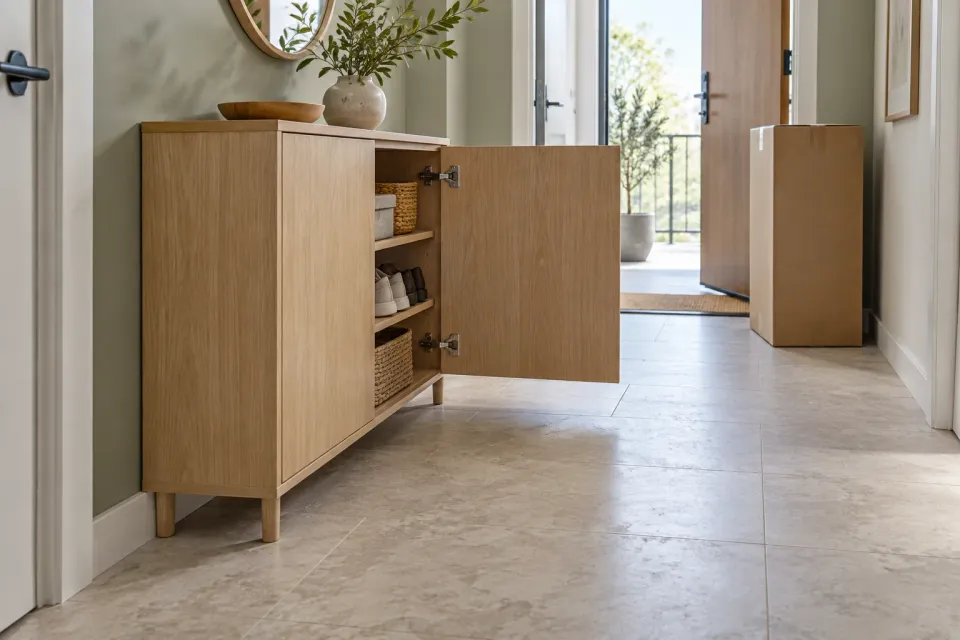
A ChatGPT ad for a shallow storage cabinet might interest someone with a narrow hallway. After clicking, that customer has a harder question: will this particular cabinet fit against the wall, will its doors open, and can the package reach the hallway? A photograph of a spacious room cannot answer those questions.
A dimension diagram should help customers compare the product with their own space. This guide covers the physical object and the route to its intended position. Body measurements and wearable fit belong in the guide to choosing a product size. The approach below is an editorial recommendation for the destination behind a paid ad, rather than an OpenAI requirement for a particular drawing format.
Start with the item behind the click
OpenAI describes a standard ad as creative content with a destination URL. For ads created from product feeds, the selected product supplies that destination. Check both the ad journey and the catalogue item leading to the diagram. See Campaign Management and Product Feeds.
Identify the model and variant selected when the page opens from the ad. Record its identifier and any choices that change its dimensions, such as legs or handles. A drawing of the standard version should not remain in place when the customer selects a wider version. If a matching drawing is unavailable, explain precisely which measurements apply and which details require confirmation.
Keeping the catalogue item and destination aligned is part of preparing the product feed. The narrower check here is whether the drawing, written dimensions and selected purchase describe the same physical object.
Separate three kinds of space
One picture crowded with arrows can become hard to interpret. Organize the information around three distinct checks:
| Check | What the drawing explains | What the customer measures |
|---|---|---|
| Placement | The object’s greatest width, depth and height | Its intended position |
| Operation | Opening movements and specified clearances | Obstacles beside and in front of it |
| Access | The package or relevant delivery sections | Doors, turns, lift and stairs |
Use a plan view when floor space drives the decision. Add a front view for height and a side view for depth or projections. End dimension arrows at the actual measuring points. State whether depth includes handles, height includes legs, and width refers to the widest part.
Put qualifications beside their values. Customers should not have to guess whether 40 centimetres means the cabinet body or its full depth. If the drawing is not to scale, say so. The task is to compare stated measurements, rather than estimate size by measuring the picture on a screen.
Draw the product in use
A closed cabinet can fit without being usable. Show the door swing with a clear arc and mark the fully extended drawer. A folding item needs separate labels for its stored and opened positions. Shading can identify the space involved, but add words explaining what that shading represents.
Use verified product information for required distances. Do not invent ventilation gaps or safety clearances to complete an empty field. Distinguish a manufacturer’s requirement from the shop’s practical recommendation for comfortable use. Explain whether the distance starts at the wall, the rear of the product or a projecting connection.
In a hypothetical example, a cabinet is 35 centimetres deep and its open door extends another 42 centimetres beyond the front. The drawing should show both measurements, their direction and the fully open position. The combined 77 centimetres describes this illustrative envelope from the rear edge. It does not establish that the customer has enough passage or working space beyond the cabinet.
Show the form in which it arrives
Product dimensions and package dimensions answer different questions. State whether delivery includes an assembled object, separate parts or multiple packages. Use confirmed package measurements for the access check. A narrow cabinet may have larger protective packaging; a wide item may arrive in smaller sections. Explain which situation applies.
Give the customer a short measuring task: check the clear doorway opening, the narrowest passage and the space available to turn at the next obstacle. Ask them to note where each measurement was taken. A door’s nominal width is not the same observation as the opening they can actually use.
Avoid an automatic promise based on comparing two numbers. A straight passage and a tight corner are different situations. Where access needs assessment, offer a contact route that carries the product identity and the customer’s measurements forward. Explain what additional information the team needs to assess that route.
Three spaces before the next product decision
- 1. Object envelope
Show maximum width, depth and height with explicit measuring points.
- 2. Operating space
Draw doors, drawers and verified clearances in the relevant position.
- 3. Route to its position
Compare confirmed package dimensions with openings and turning space.
- 4. Next choice
Continue, compare a suitable alternative or resolve the uncertain measurement.
Keep the drawing useful during measurement
Place the dimensions link near the product choice. A label such as “Overall dimensions and opening space” explains what the customer will find. Provide a short table in ordinary text beside the diagram. This gives customers another way to read the values when the image fails to load or its numbers are small on a phone.
Keep units consistent between the drawing and table. If the page offers alternative units, use consistent conversions and rounding. Preserve the precision of the original information rather than adding decimal places that suggest more accurate measurement. Include documented tolerances where they affect the comparison, and identify missing information as unconfirmed.
A downloadable dimension sheet can help while measuring. Include the model, variant, units and version so that a saved copy remains identifiable. Keep decisive measurements on the product page as well, alongside the current selection and purchase action.
Let the measurements determine the next step
The customer should be able to continue with the selected item, compare an alternative that needs less space, or ask about a specific uncertainty. Explain which dimension differs when linking to an alternative. A narrower cabinet does not automatically solve a depth problem.
Review this journey through the exact ad destination. Read one dimension in the drawing, find its written equivalent, change a relevant variant and check which item proceeds to the cart. Ask a colleague to explain where the customer should measure without spoken assistance. If the measuring point needs an explanation outside the page, improve the diagram or its accompanying text.
The broader handoff from offer to purchase is covered in the ChatGPT ad landing-page guide. The dimension diagram has a specific job within that journey: turn “it looks small enough” into usable information for the customer’s next product decision.
Sources and scope
Design measured diagrams that help customers arriving from paid ChatGPT ads check product placement, operating space and delivery access before buying.
Working methods and examples are editorial suggestions. Check current platform requirements and available features before implementation.