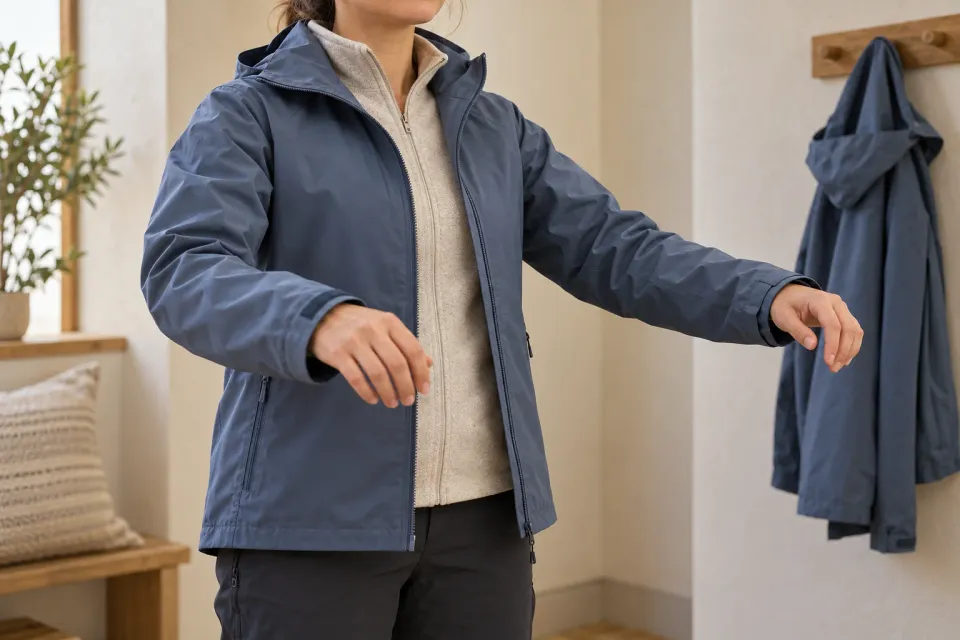
Someone who clicks a paid ChatGPT ad for a jacket may already have found the right use case and price range. The next decision is smaller but essential: which size should go in the cart? A row of S, M and L buttons cannot answer that when the customer has never worn the model.
Make sizing help part of the advertised product page. The visitor should be able to measure, interpret and choose while keeping the product in view. This article covers size and fit against the body. If the question is whether a desk fits inside a room, use the separate guide to product dimension diagrams.
Start with the promise in the ad
Read the ad alongside its destination. Descriptions such as roomy, slim or suitable for layering need an explanation for this particular model. A statement about the brand’s general style is insufficient evidence for recommending a size.
OpenAI describes ad content and its destination URL in Campaign Management. That connection to your chosen page is what matters here. The sizing approach below is an editorial recommendation for your shop, not a documented tool in the advertising platform.
Write down the question the page should resolve. For example, the visitor may need to choose the advertised shell jacket for use with a light middle layer. Work from the question raised by your offer. Do not assume that the shop knows what the person previously wrote in ChatGPT.
Give every measurement an explicit meaning
Collect product evidence before redesigning the chart. Check which model, market and size range it covers. A shared brand chart may be useful, but someone responsible for the product needs to confirm that it applies to the destination you are advertising.
Keep three ideas separate:
- Body measurements describe the customer, such as chest circumference.
- Garment measurements describe the item, such as its width when laid flat.
- Fit guidance explains how the garment is intended to sit and be used.
Name the measurement type in the chart heading. Flat width and circumference are different quantities. If you show both, put the measurement method beside each value. Also state whether measurements describe relaxed or stretched fabric when that distinction exists in the supplier’s information.
Ease and material behaviour should not become the advertiser’s own estimates. If evidence is missing, ask the product owner to verify it. A garment measurement exceeding a body measurement does not by itself establish how the item will feel during use.
Make measuring possible beside the selector
Put a clearly named link, such as “Measure and choose your size”, beside the size selector. Open the correct model’s guidance directly. A visitor should not have to select a department, brand and product family again to recover the chart for the item already on screen.
Describe measurement points with text and a simple illustration. Explain what to measure, where to place the tape and which unit the chart uses. Keep these instructions consistent with verified product information. If customers should compare against an existing garment, explain how to lay it out and where to take the measurement.
On a small screen, row labels and size headings need to remain understandable together. An image containing a wide chart may become illegible. Consider displaying measurements as text, and make any unit switch apply consistently across the table. Closing the guidance should return the customer to size selection with the chosen colour and model preserved.
Explain boundary cases without guessing
Hypothetical example: a jacket’s verified chart assigns a body chest measurement of 94 to 99 centimetres to M. A customer measures 99 centimetres and wants to wear a middle layer. This is a fictional working example, not sizing advice for a real product.
The useful answer depends on further evidence. If the model is designed for the specified layer, explain that. If the supplier gives particular advice for the upper end of the measurement range, reproduce its meaning accurately. If no such guidance exists, offer a comparison with relevant garment measurements or a practical way to contact the shop.
Avoid a blanket instruction to always choose the larger size. It ignores construction and personal preference. When chest, waist and length point to different sizes, explain which dimension governs the choice according to the product’s own guidance. Without that information, the uncertainty remains unresolved.
If you offer a recommendation, show which inputs support it and allow the customer to change it. They may deliberately prefer another fit. Recurring model questions can receive short answers using the product questions workflow, while the actual sizing decision stays close to the purchase action.
What is missing before the customer can choose a size?
- Does not know the measurement
Show the measurement point, method and unit before the chart.
- Does not know which chart applies
Attach the chart to the exact model and distinguish body from garment measurements.
- Is deciding between sizes
Explain verified fit information and what the evidence cannot decide.
- Has chosen a size
Confirm the same size when the customer continues to the cart.
Carry the size decision through to the cart
After selection, confirm the combination of model, colour and size. When the customer adds the item to the cart, the same size should appear there. If it cannot be purchased, explain that before the next step without silently substituting another size.
OpenAI’s Product Feeds describes one product row per item or variant and stable identifiers between uploads. For your review, this means comparing sizing information for the same variant in the catalogue and shop. The product feed preparation guide covers the broader catalogue work.
An ad may lead to a specific variant or to a product where a choice is still required. Make the starting state clear. Checking the link itself belongs to the guide to the correct product variant; sizing help then supports the customer’s judgement about fit.
Review an actual choice before campaign launch
Ask a colleague to open the planned ad destination on a phone and complete a normal sizing decision. Have them explain the chart’s numbers, investigate a boundary case and check the cart. Also inspect a model with different size labels. A working jacket chart tells you nothing about the footwear chart.
Record unclear steps with the affected product and an owner. Prioritise the wrong chart, ambiguous units and a changed cart size before cosmetic improvements. Afterwards, review genuine customer questions and stated return reasons without promising fewer returns or more purchases in advance. The content’s job is to support an understandable, traceable size decision after the paid click.
Sources and scope
Help advertisers design product-specific sizing guidance that takes a paid ChatGPT visitor to an informed choice for a product worn on the body.
Working methods and examples are editorial suggestions. Check current platform requirements and available features before implementation.