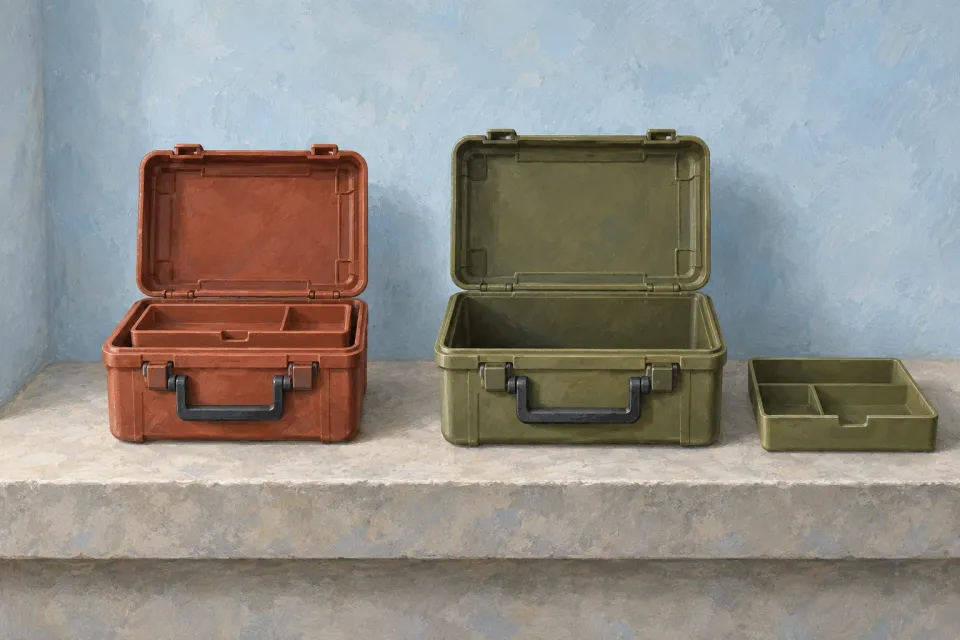
Putting two product models next to each other does not necessarily make them comparable. One column may show external dimensions in centimetres while the other shows internal dimensions in millimetres. One lists included accessories while the other lists optional purchases. After a paid ChatGPT ad click, the customer sees a table but must still untangle the differences.
A useful comparison table keeps model identity, attribute and measurement basis together. This guide covers arranging already selected product facts in rows and columns. Choosing the evaluation framework itself belongs to the separate guide to fair comparison criteria.
Start with the models the ad introduces
Define the specific models included in the table. Put a model name, version and relevant configuration above each column. A column labelled Pro must not combine the previous model’s weight with the new model’s accessories. The product behind the next link should be identifiable. When the comparison supports a launch, explain what the new model changes for the buyer alongside the equivalent values.
Read the ad alongside the table. If the offer helps someone choose between two storage cases, those cases should be easy to find. A table covering the entire range can bury the decision the ad introduced. Additional models can remain accessible without becoming compulsory reading.
OpenAI describes the ad destination in Campaign Management, and product details and destinations supplied by a feed in Product Feeds. Review the shop’s comparison against the same product identity used in the advertisement.
Give every row one meaning
Write the row label before filling its cells. External width, internal length and shipping-box width are different attributes, even when all use centimetres. If a supplier has supplied only “width”, ask the product owner to establish what it measures before assigning it to a specific row.
Avoid combined rows such as size and weight. They obscure the value that distinguishes the models and make missing information harder to spot. Separate included accessories from optional extras as well. Otherwise a tick may mean included in one column and available to purchase in another.
A technical row can have a short explanation next to its label. The explanation should help the reader interpret the value without changing its definition between models. The guide to understandable technical specifications covers explaining an individual specification in more detail.
Normalise units without inventing precision
This table describes two hypothetical storage cases. It demonstrates how information from different source formats could be presented consistently after verification.
| Attribute | Model A | Model B |
|---|---|---|
| External width | 360 mm | 420 mm |
| Empty weight | 1.8 kg | 2.1 kg |
| Removable tray | Included | Available separately |
| Internal length | Not verified | 380 mm |
Suppose A’s external width came from a source stating 36 cm. Converting it to 360 mm preserves the measurement. Showing 360.00 mm would suggest precision that the source did not establish. Retain an appropriate degree of precision and record the conversion for the person maintaining the table.
Matching units is insufficient when conditions differ. A dimension measured with the handle folded cannot automatically be compared with a dimension that includes a raised handle. Put the condition in the row label or create separate rows. Where equivalent measurements are unavailable, say that the values cannot be compared directly.
Also distinguish numbers that describe a range from those describing a fixed configuration. A family-wide “up to” figure should not appear beside a specific model’s measured value as though both describe the products on offer. Trace each number back to the configuration named in its column.
Name the missing-data states
A dash may mean absent, irrelevant or not investigated. Use a short explicit status instead. “Not verified” means the evidence is insufficient. “Not included” describes a known limitation of the offer. “Not applicable” means the attribute does not belong to that design.
These are different messages. An unknown internal length in the case example must not be read as zero. An optional tray must not receive the same symbol as an included tray. If you use icons, accompany them with understandable text within the same cell.
When a gap affects a decisive purchase requirement, provide a practical next step. That might be a link to verified dimensions or a focused question routed to the product team. Contradictory sources require resolution rather than a decorative status. See the guide to conflicting product information.
Four meanings a comparison cell must distinguish
- Verified: 360 mm
External width on the same measurement basis can be compared directly.
- Conditional: tray sold separately
The accessory exists but is not part of the compared offer.
- Unknown: internal length
Not verified is an evidence gap, not a value of zero.
- Not applicable: battery runtime
An ordinary storage case has no battery function to compare.
Preserve relationships on a small screen
A table that works on a desktop may become confusing when the visitor can see only one model column at a time. Check whether the model identity and row meaning remain understandable while scrolling. The shopper should not have to remember which case the figure 380 described.
Choose a presentation appropriate to the number of models. Two may fit side by side; more may need an explicit choice of visible columns. Make horizontal scrolling discoverable when you use it. If identical rows can be hidden, show that the filter is active and allow the shopper to display everything again.
A small screen should not silently reorder values or omit qualifications in a way that changes the comparison. The same unit, status and limitation need to accompany the value in every presentation.
Connect the next action to its column
Place a clear product link beside each model. It should open the configuration whose data the visitor has just read. If the table describes a base model while the link selects a larger package, explain that difference before the shopper proceeds.
Saving several candidates is a separate interaction. The guide to product shortlists explains how shoppers can retain candidates between visits. The table should already provide an understandable basis for the next product visit without requiring that feature.
Review cells before using the destination
Ask a colleague to follow one row horizontally and then read one model vertically. The first approach exposes mismatched definitions; the second checks whether the column describes a coherent offer. Verify each value against its source and record who owns future changes.
In the case example, the reviewer should be able to state that B has the greater verified external width, that the tray has different purchase conditions, and that A’s internal length still needs confirmation. The table is ready when those conclusions require no guessing, rather than when every cell appears to contain a confident answer.
Sources and scope
Present product models in a comparison table whose identities, units, conditions and unknown values support an accurate next purchase decision.
Working methods and examples are editorial suggestions. Check current platform requirements and available features before implementation.