Three open product tabs make a fragile decision record. The customer must remember which variant fitted, why an item looked promising and whether the next tab showed the same size. When a paid ChatGPT ad click leads to several plausible purchases, a small shortlist can preserve the work already done.
Its job is to keep candidates available for a decision. Saving a product is neither an order nor a reservation. This article recommends behaviour for the advertiser’s own website. It assumes no shortlist feature in ChatGPT or AthillyAds and no access to the visitor’s conversation.
Define the object being saved
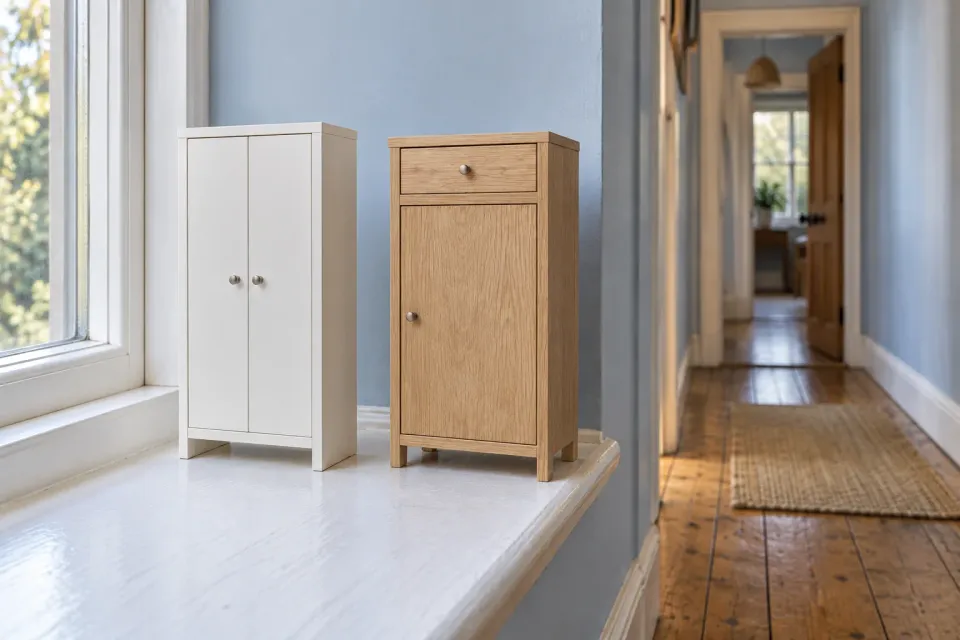
Imagine a hypothetical shop advertising storage for narrow hallways. A visitor finds two possible cabinets but needs to measure the space at home. If “Save to compare” retains only a product family name, the person may later be unsure which width and finish they were considering.
Decide whether the action saves a model or a selected variant. Either approach can work, provided the distinction is visible. A model without a chosen size needs a label such as “size not selected”. A cabinet saved with a particular width and colour should retain those choices when reopened.
Give each entry a recognisable name, relevant image, variant description and route back to the right product. Do not identify it solely by its position in a sorted catalogue. That position can change. OpenAI’s product-feed documentation distinguishes product group identifiers from individual variant identifiers. That distinction supports checking identity across the advertised product data and the shop’s saved selection.
Make adding and removing visible actions
The control should describe its purpose. “Save to compare” communicates more than an unexplained heart when comparison is the task. After selecting it, customers should be able to tell which candidate was added and where to open the list. A colour change alone is a weak confirmation.
Specify duplicate behaviour. Selecting the same variant twice should not accidentally create two copies. Adding another width of the same cabinet may, however, be deliberate. Display the variant details so visitors can understand why two similar images are present.
Let people remove a candidate without leaving the comparison. A simple undo can help if one mistaken action would otherwise discard a considered choice. Where the list has a limit, explain it before someone tries to exceed it. Choose a limit based on what the interface can present clearly, rather than claiming there is a universally ideal number of candidates.
Keep the reason for consideration
A set of names does not explain why those products were selected. In the cabinet example, an optional note such as “check depth beside the door” could be more useful than another image. Present it as the customer’s reminder, not a verified product characteristic.
If the site offers labels, make them concrete and editable. “Needs measuring” and “Check finish” identify the next task. Avoid automatically adding “best choice for you” without a clear basis. The list should retain the customer’s candidates and open questions, rather than introduce a recommendation the customer never made.
A product-model comparison table can then present the candidates’ attributes. That is separate from retaining the selection. Customers should still be able to edit their shortlist when the table can only display certain models together.
Say what persistence actually means
Write the confirmation around the implemented behaviour. If a list persists only in the same browser, do not promise that it will appear on a phone. If an account is necessary for access across devices, explain that before someone relies on the feature.
Where the shop supports it, allow a simple comparison to begin without a lengthy registration. Customers can assess its usefulness before choosing a more persistent saving option. Do not confirm successful storage when the operation failed. Distinguish a newly empty list from a list that could not be retrieved. Those states call for different explanations and different next actions.
On a later visit, the customer also needs to recognise the offer itself. The guide to recovering choices on a return visit covers that broader situation. The shortlist’s specific responsibility is to make its contents and persistence understandable.
Restore identity and refresh commercial details
A saved product identity can remain valid while its price and stock status need checking again. Show current information before proceeding to purchase. A historical price should not resemble a binding quotation unless that is actually what the business issued.
In the hypothetical example, the selected white cabinet becomes unavailable while another colour remains available. Retain the original candidate with a clear explanation. You may offer the other colour as a separate choice, but do not silently change the saved entry. Otherwise the shortlist can appear preserved while representing a different purchase.
When a product has been discontinued entirely, retain enough identity for the visitor to recognise what disappeared. Offer removal or a separate route to alternatives. Silently deleting the entry may make the customer think saving failed. A visible explanation lets them distinguish a catalogue change from a lost decision record.
From candidate to a retained choice
- Add
Confirm the model and selected variant so similar images are not confused.
- Retain
Explain where the list persists and let customers edit or remove candidates.
- Recheck
Show current commercial details and identify selections that have changed.
- Choose the next step
Continue to the correct variant or let the customer explicitly choose a replacement.
Review a complete decision loop
Walk through adding, opening, changing a variant, removing and returning. Repeat the sequence after a candidate’s information changes. Check that the saved order does not unexpectedly change when the customer chooses another catalogue sort order.
If sharing is supported, explain which candidates a link represents and whether later edits will appear for its recipient. A fixed snapshot and a jointly updated list are different promises. Describe the actual behaviour and allow customer notes to be reviewed before sharing. A copied URL that cannot preserve the selection should not be presented as a shared shortlist.
Also open the list without any candidates. Explain how to add the first one, while keeping the route back to the advertised category or product clear. The empty state should help the visitor resume selection rather than look like an error.
Finish the review from the product link used by the ad. Visitors should be able to retain the advertised choice, understand exactly what was kept and continue with current details. That is the practical value of the shortlist: the work following a paid click can continue without asking customers to reconstruct their own selection.
Sources and scope
Design how customers add, identify, retain, edit and reuse a small set of product candidates after a ChatGPT ad click, including changed commercial details.
Working methods and examples are editorial suggestions. Check current platform requirements and available features before implementation.