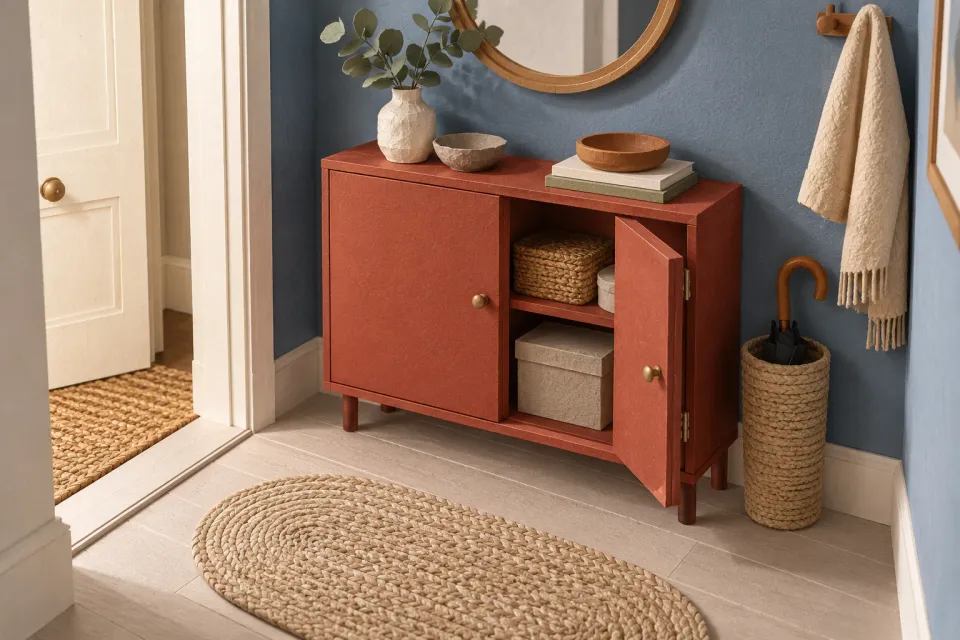
A shopper clicks a paid ChatGPT ad for shallow hallway cabinets. The category contains relevant furniture, but the customer has two additional requirements: a maximum width of 60 centimetres and doors to conceal the contents. Product filters should let that person narrow the selection using those facts without starting again in the shop’s entire assortment.
This is a hypothetical scenario. The workflow concerns the destination that the advertiser controls. It requires no knowledge of a visitor’s private ChatGPT conversation. Start with the advertised category’s promise and the attributes that your product records can actually substantiate.
Decide which requirements should narrow the list
First write down the product requirements a visitor may already know. For hallway cabinets, these could include external width, depth, installation type and whether doors are fitted. Ask whether a selection should exclude products. Colour may be essential in one category and less useful in another. Make that decision for the advertised selection.
Avoid automatically displaying every field in the catalog. Supplier, product series and internal style codes can introduce numerous choices without helping the shopper assess suitability. An attribute shared by every product may belong in the category description rather than in a filter that cannot change the results.
A filter works when the customer knows what they want and the catalog contains a reliable value to check. If the customer needs help translating a need into an attribute, provide an explanation or a product finder. Do not require someone to select a technical classification they cannot yet understand.
Give measurements and labels consistent meanings
In the fictional cabinet category, depth needs to mean the same thing throughout. Mixing the product’s external depth with packaging measurements produces an apparently consistent selection that answers different questions. Define the measurement and unit before exposing the filter. Add a short explanation where the definition affects a buying decision.
| Known customer requirement | Understandable filter | Catalog check |
|---|---|---|
| Fit against a narrow wall | Width up to 60 cm | Assembled external width |
| Avoid projecting too far into the hall | Depth up to 25 cm | A consistent depth definition |
| Conceal the contents | With doors | Documented product design |
The table illustrates definitions, not a real assortment. Decide whether a boundary is included. “Up to 60 cm” includes 60 cm. A product with an unknown measurement cannot be confirmed as a match. Handle missing values as missing information, rather than entering zero so that the product passes the filter.
Check the catalog before adding further controls. The ChatGPT Ads product-feed guide covers the broader review of product information and the advertised selection. An attractive filter cannot make inconsistent measurements comparable.
Make the combination of selections readable
Display selected attributes near the product list. The customer should be able to see that the current selection means “up to 60 cm”, “up to 25 cm” and “with doors”, even while the filter panel is closed. Make it possible to remove one selection without losing the other requirements.
Define how multiple selections combine and use wording that reflects that behavior. Selecting two colours might mean black or white, while width and depth must both match. Do not let identical controls conceal different logic. A brief explanation may be needed where a product category has unusual dependencies between attributes.
Check that one purchasable variant meets the full combination. Suppose a model is available as a narrow red cabinet and a wide white cabinet. It should not appear to satisfy a request for a narrow white cabinet by combining attributes from different variants. The matching version must remain understandable when the shopper opens the product page.
Four concrete filters for a fictional cabinet selection
- Width up to 60 cm
Use the assembled external width and include the boundary value.
- Depth up to 25 cm
Use the same measurement definition for every cabinet in the category.
- Floor-standing
Describe the installation type without implying that wall fixing is unnecessary.
- With doors
Filter on the documented design, not what a lifestyle image appears to show.
Preserve the selection the ad actually offers
An ad promising shallow hallway cabinets can lead to a dedicated category or a visible preset depth filter. The visitor should understand why other products are absent. If the preset can be removed, explain that the resulting selection is broader than the offer initially described in the ad.
OpenAI’s Campaign Management documentation includes the destination URL in a standard chat-card ad. Review the exact advertising URL and the state it opens. A working category address is not enough if it loses the selection described by the headline.
Keep website filtering distinct from campaign product selection. In Product Feeds, OpenAI describes product filters that narrow the catalog products an ad group can use. That selection happens separately from the controls a shopper uses on your website. Record both so the campaign and destination can be compared.
Make the interaction clear on a small screen
A mobile filter panel can update results immediately or collect selections until the shopper confirms them. Choose a behavior and make it clear. If a button displays the number of matching products, the number must refer to the current selections. Avoid leaving an old count visible while a new selection is being calculated.
After closing the panel, the customer needs to find both the results and the active selections. Explain whether a reset action removes personal choices, the advertising preset or everything. Also check that returning from a product page preserves the selection. Otherwise, the customer has to repeat the same narrowing process for every product they inspect.
Review products with known attributes
Choose a product that clearly belongs in the results, one that clearly does not and one exactly at a measurement boundary. Test them through the ad’s actual destination on desktop and mobile. Include a case with missing data and a case with multiple variants.
Finish by opening a matching product and checking that the relevant attributes appear there. The ChatGPT ad landing-page guide covers the wider connection between the offer, destination and purchase step. Filtering is useful when a customer can express a known requirement, understand the current selection and find products that actually satisfy it.
Sources and scope
Choose and define filters that let ad visitors narrow a catalog using known product attributes and understand the active selection.
Working methods and examples are editorial suggestions. Check current platform requirements and available features before implementation.