A customer clicking a ChatGPT ad for an accessory has not established that it fits the product they already own. A similar model name or familiar photograph may be enough to create interest. Before purchase, the destination needs to connect that interest with a verified combination of model, version and conditions of use.
Treat compatibility as a decision with three possible outcomes: confirmed within stated conditions, confirmed unsuitable, or not yet verified. Give each outcome a useful continuation. Customers need to understand both the scope of the answer and anything still required before choosing the correct item.
Start with information the customer can identify
First establish which facts distinguish compatible combinations from others. A product family may be enough, but it may also hide different generations, regional versions or construction changes. Request another detail only when it can affect the answer. A long form does not demonstrate a careful compatibility check.
Show customers how to locate every required identifier. If the model name is on a label, explain where to find that label. If a version number appears in a menu, use verified instructions for the relevant family. Provide a clearly labelled format example without implying that it is the customer’s own value.
Offer a useful option when the person does not know. Help with identification can be better than a list that encourages choosing the closest-looking name. Preserve information already supplied when the customer leaves the page to find the missing detail.
Include the conditions in the answer
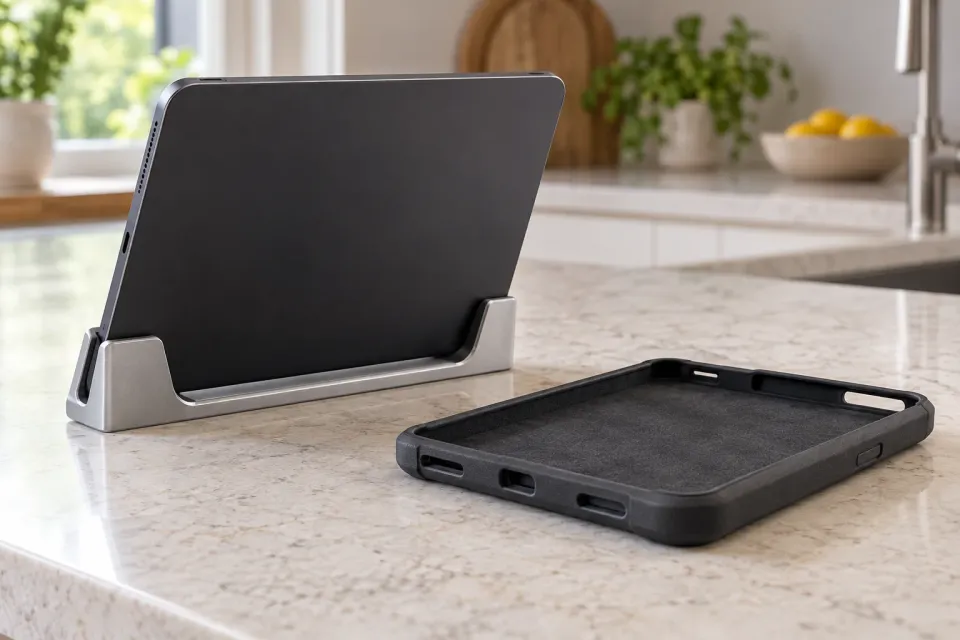
In a hypothetical example, a store sells a holder for the fictional Model M4 tablet. The product record confirms a fit for M4 without a protective case, excludes M4 Plus and says nothing about a later revision. Those situations require different answers even when every customer starts with the same family name.
For the first combination, explicitly repeat the model and the condition without a protective case. For the second, explain that the selected holder does not support M4 Plus. For the third, say that the revision has not been verified. A generic green fits label would hide the differences that determine the purchase.
Make the condition visible before the purchase action. If an adapter is required, include that requirement in the compatibility result and identify the adapter. A separate section can explain required accessories in greater detail, but it should not change the meaning of an earlier yes.
Three compatibility outcomes with a next step
- Yes, within stated conditions
Confirm the model, version and conditions of use before adding the matching item to the cart.
Checkpoint - No, a known mismatch
Explain the mismatch and offer only alternatives whose compatibility has also been verified.
Reconsider - Unknown, verification needed
Keep the customer's selection and request the specific missing information needed to verify the answer.
Record the evidence behind each match
Build the check from reviewed evidence: the manufacturer’s compatibility list, the correct product manual or a documented assessment of the exact combination. Internally, record which product version and date the evidence covers. A general statement about a brand cannot establish compatibility with every model carrying its logo.
Also identify what the evidence does not cover. A confirmed physical fit may not answer every question about the customer’s wider use. Narrow the result when the documentation supports only a particular function. The method for reviewing destination claims helps separate the promise from the record supporting it.
When sources disagree, the check should not choose the answer most likely to produce a sale. Refer the combination for investigation and assign an internal role to resolve which evidence applies. Keep the customer-facing answer unresolved until the contradiction has been addressed.
Check the transition from ad to item
OpenAI describes the destination as part of an ad’s content. For product ads, the destination comes from the selected feed item. Review the address and product variant actually used for advertising. Campaign Management, Product Feeds.
Open the link as a new visitor and perform the compatibility check from that starting point. An accurate list on a different product page will not help when the advertised variant has another attachment or revision. The guide to catalogue preparation for product ads provides context for checking the product record against its destination.
If the customer changes the advertised variant after receiving a confirmed result, that result must remain valid or be recalculated. Show which item is now being checked. An earlier yes should not stay beside a new item number merely because the customer’s model selection has not changed.
Make no and unknown useful outcomes
A clear no needs a brief explanation that supports another decision. It might concern a different model generation or a use condition that is not met. Avoid presenting a row of similar products as confirmed replacements. Check an alternative against the same customer information before describing it as suitable.
An unknown result should explain what is missing. Ask for the revision identifier if that determines the answer. If the store lacks evidence, say that the product team needs to verify the combination. Do not make customers responsible for an information gap that only the supplier can resolve.
A contact route should retain the item, selected model details and unanswered question. Show that summary so the customer can correct mistakes. Promise only a response time the business can support, and provide a way to return to the same product selection when the answer arrives.
Exercise the decision paths before advertising
Review at least one documented match, one known mismatch and one combination with missing information. Also try a similar model name, a product variant change and a return from the identification help page. Read the answers in both languages; fits, supported and works should describe the same scope.
The check is useful when a matching combination can be purchased with clear conditions, an unsuitable combination receives an understandable rejection, and uncertainty has an owned next step. Use recurring questions to improve the evidence and presentation, but never treat completed purchases as proof that undocumented compatibility is correct.
Sources and scope
Design a check that matches the advertised product against the customer's exact model, version and use context, with clear confirmed, incompatible and unknown outcomes.
Working methods and examples are editorial suggestions. Check current platform requirements and available features before implementation.