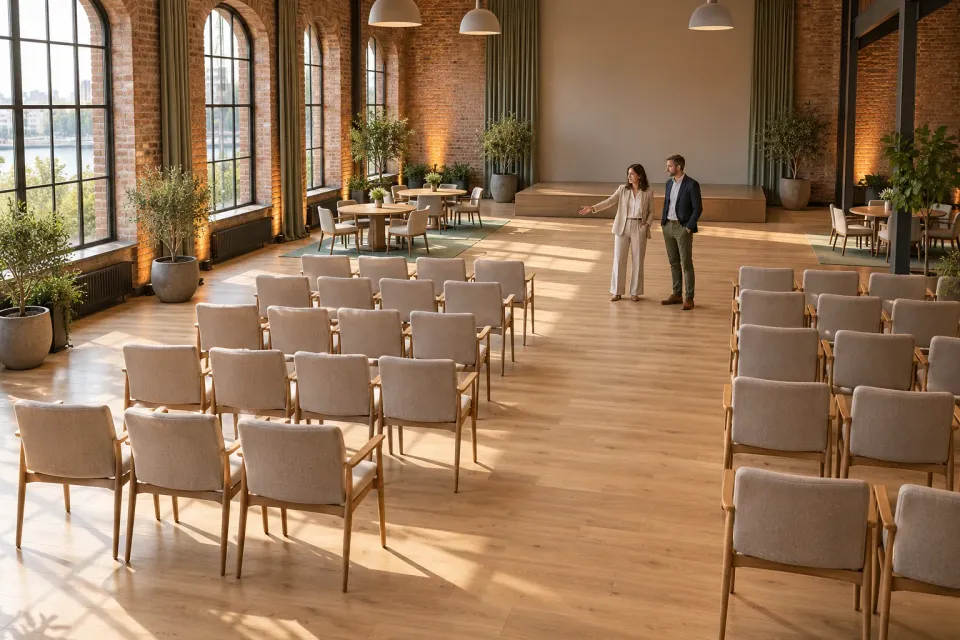
“Space for 100 people” may be accurate while leaving an organiser unable to decide whether a venue is suitable. They might need working tables, a presentation area and separate rooms for activities happening at the same time. The advertised number becomes useful when its relationship to the planned use is clear.
For ChatGPT ads promoting meeting venues, capacity is therefore a communication decision. The ad should help an organiser decide whether the space deserves closer consideration. It cannot replace the venue’s confirmed specifications, an assessment of the proposed layout or a booking confirmation.
Start with the organiser’s practical question rather than the largest number in the venue brochure. That produces a more useful proposition and a more focused first enquiry.
Establish who needs space at the same time
List the people who require places during the same part of the meeting. Registered participants may not be the whole group. Facilitators, speakers and other contributors may also require working space. Clarify what the advertised arrangement includes.
In a fictional example, an organiser plans a training day for 42 participants and six people leading different sessions. That makes 48 people. A fictional venue description mentioning 50 seats may look suitable, but the figure does not establish whether working tables and a presentation area are included.
Turn that uncertainty into the planning question: “What arrangement do 48 people need simultaneously?” This is a stronger starting point than showing the largest audience the room can accommodate.
If attendance remains uncertain, record a meaningful range. The venue team needs to understand whether the organiser is discussing approximately the same layout or a change that would require a different room. Do not turn an unconfirmed estimate into a precise promise in the ad.
Attach the number to a layout
Ask the venue owner for confirmed information about the arrangements actually offered. Distinguish, for example, a seated presentation from a session where everyone works at tables. Use the venue’s own terminology and explain terms that the intended organiser may not know.
The ad does not need to present every possible arrangement. Choose the use that the offer supports and connect the capacity statement with it. A room for a seated talk and a room for table-based training help customers answer different questions.
Do not pair an image of a spacious group layout with a number that applies only to another arrangement. The image and number might each be accurate separately while their combination creates a misleading impression.
A visual should represent the advertised offer. If the image is only illustrative, ensure that the surrounding explanation does not present its furniture, room divisions or accessories as confirmed inclusions.
Examine simultaneous requirements
The most important capacity question may arise when several activities need space at once. A venue can accommodate a shared presentation while lacking enough separate working areas for the next part of the day. That differs from asking whether everyone fits in the main room.
For the fictional training day, the organiser may need four groups after lunch. If an adjacent room belongs to another booking at that time, it cannot be counted as part of the offer without confirmation. Similarly, an entrance area may have another purpose that prevents it from functioning as an exclusive break space.
| Organiser’s question | What the venue proposition can clarify |
|---|---|
| How many people need working tables? | Which described arrangement merits assessment |
| Are several rooms needed simultaneously? | Whether the offer includes multiple spaces or only the main room |
| Must materials remain set up all day? | Whether the arrangement needs discussion before a quote |
| Is attendance still provisional? | Which range the venue team needs to assess |
This is a communication worksheet, not a method for calculating permitted occupancy. Use the venue’s confirmed specifications when stating an actual capacity.
48 people is the start of the question
- People
All 48 need to be included in the arrangement being assessed.
- Layout
50 seats does not answer the question about working tables and presentation space.
Reconsider - Simultaneous use
Four groups may require several confirmed spaces at the same time.
- Next step
Assess the arrangement and date before describing a booking as complete.
Checkpoint
Select a situation that leads to the right enquiry
A planning hypothesis could be “comparing venues for a training day with working tables and simultaneous group sessions”. That conveys more useful context than “conferences”. It does not mean every detail must appear in the ad.
Use the constraint-led hint workflow to identify the requirement that changes venue suitability. Keep the proposition focused on whether the space supports the proposed arrangement. Catering preferences or the content of the training should not take over this particular message.
Hints neither replace geographic settings nor guarantee impressions. OpenAI: Targeting Including a city in a scenario is therefore different from configuring where the campaign can deliver.
Treat example situations as editorial hypotheses, not transcripts from real ChatGPT conversations. Their role is to help the advertiser connect an offer with a useful customer decision.
Make the first contact a suitability assessment
A fictional draft might use “Meeting space for group work” with the body “Share numbers, dates and layout needs so we can assess a suitable arrangement.” That wording is appropriate only when the venue team actually provides the assessment.
The initial enquiry should establish the number of people, flexibility of dates, working-table requirements and any simultaneous room needs. Request information that changes the next decision. An extensive event questionnaire can make an initial capacity assessment unnecessarily demanding.
Use the call-to-action commitment guide to choose a phrase that reflects the next step. “Request a room arrangement” signals an assessment. “Book the venue” creates a different expectation if the following form merely sends an enquiry.
Keep capacity separate from availability
A suitable room can be unavailable on the required date. An available room can be unsuitable for the layout. Make both questions visible during the follow-up without turning a capacity statement into a booking promise.
Campaign scheduling belongs to campaign settings. OpenAI: Campaign Management An active advertising date does not itself confirm a room booking within your offer. Assign someone to keep the advertised venue information and available propositions current.
Bring the relevant details together on the destination using the ad landing-page guide. When an organiser can understand the layout, included spaces and next assessment, the attendee figure becomes useful evidence for a decision rather than an isolated headline number.
Sources and scope
Create a venue advertising proposition that helps organisers assess practical capacity for their meeting format before making an enquiry.
Working methods and examples are editorial suggestions. Check current platform requirements and available features before implementation.